
Every person on your team has one role. Pick the smallest role that lets them do their job.
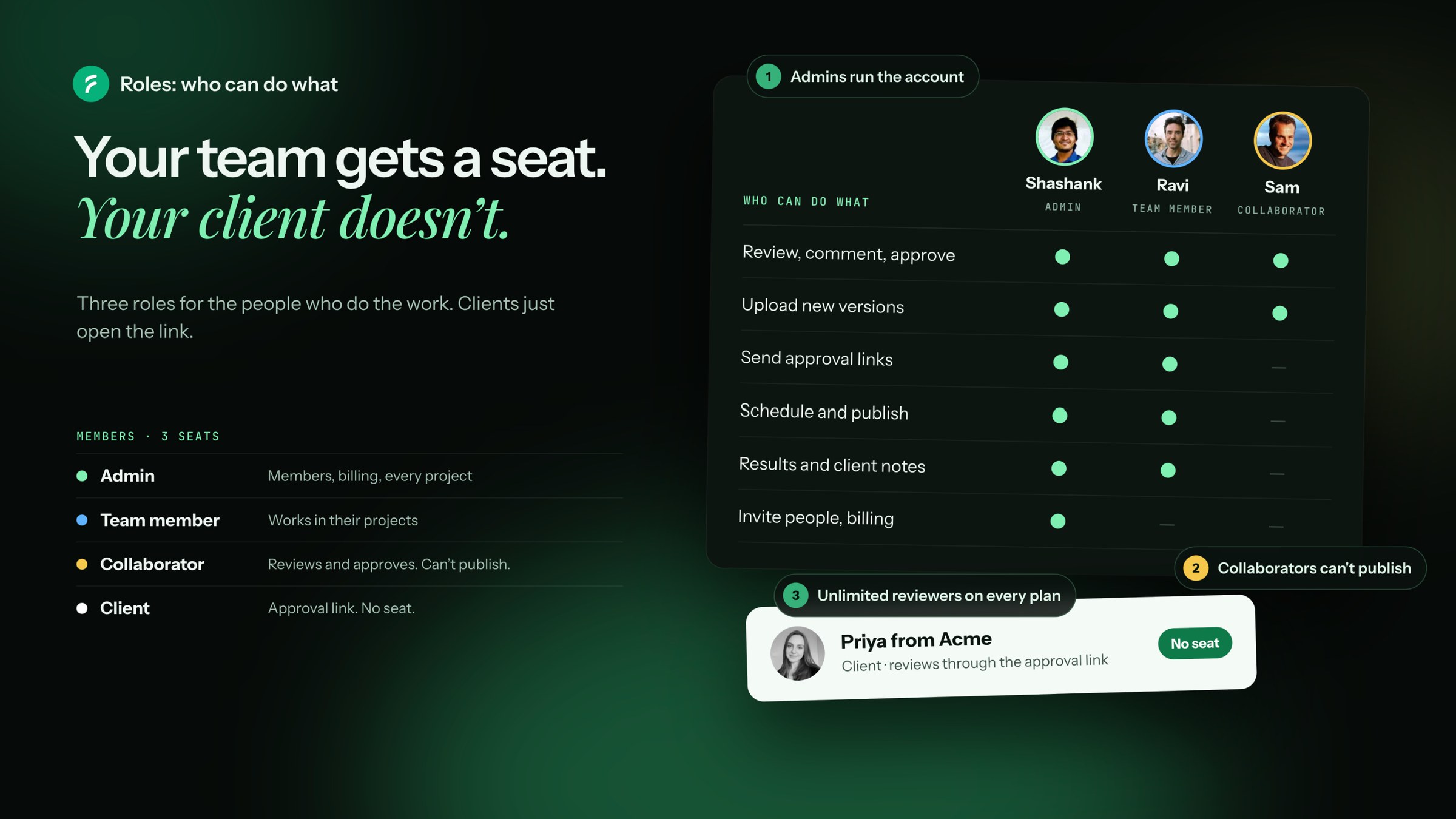
The roles
- Admin · Owner: the person who made the account. There is one. Nobody can remove the owner.
- Admin: manages members, billing and every project. Can make a project private.
- Team member: works in the projects they are on. Uploads, comments, makes tasks, writes and schedules posts.
- Collaborator: reviews, comments and approves. Can't publish. Good for a freelancer or a client's in-house person who works with you every day.
Who can do what
| Admin | Team member | Collaborator | |
|---|---|---|---|
| Upload files and new versions | Yes | Yes | Yes |
| Comment, reply and approve | Yes | Yes | Yes |
| Send approval links and Spotlights | Yes | Yes | No |
| Make and update tasks | Yes | Yes | Yes |
| Create, rename and change projects | Yes | Yes | No |
| Connect social channels | Yes | Yes | No |
| Schedule and publish posts | Yes | Yes | No |
| See results and client notes | Yes | Yes | No |
| Make a project private (Pro) | Yes | No | No |
| Invite and remove people, change seats | Yes | No | No |
| Billing and plan | Yes | No | No |
Change someone's role
Open Account settings › Members. Click the role next to their name and pick a new one.
The owner can change anyone. An admin can change team members and collaborators, but not another admin.
Private projects
On Pro, an admin can mark a project as private. Only the people on that project see it. Collaborators only see the projects they are invited to, private or not.