
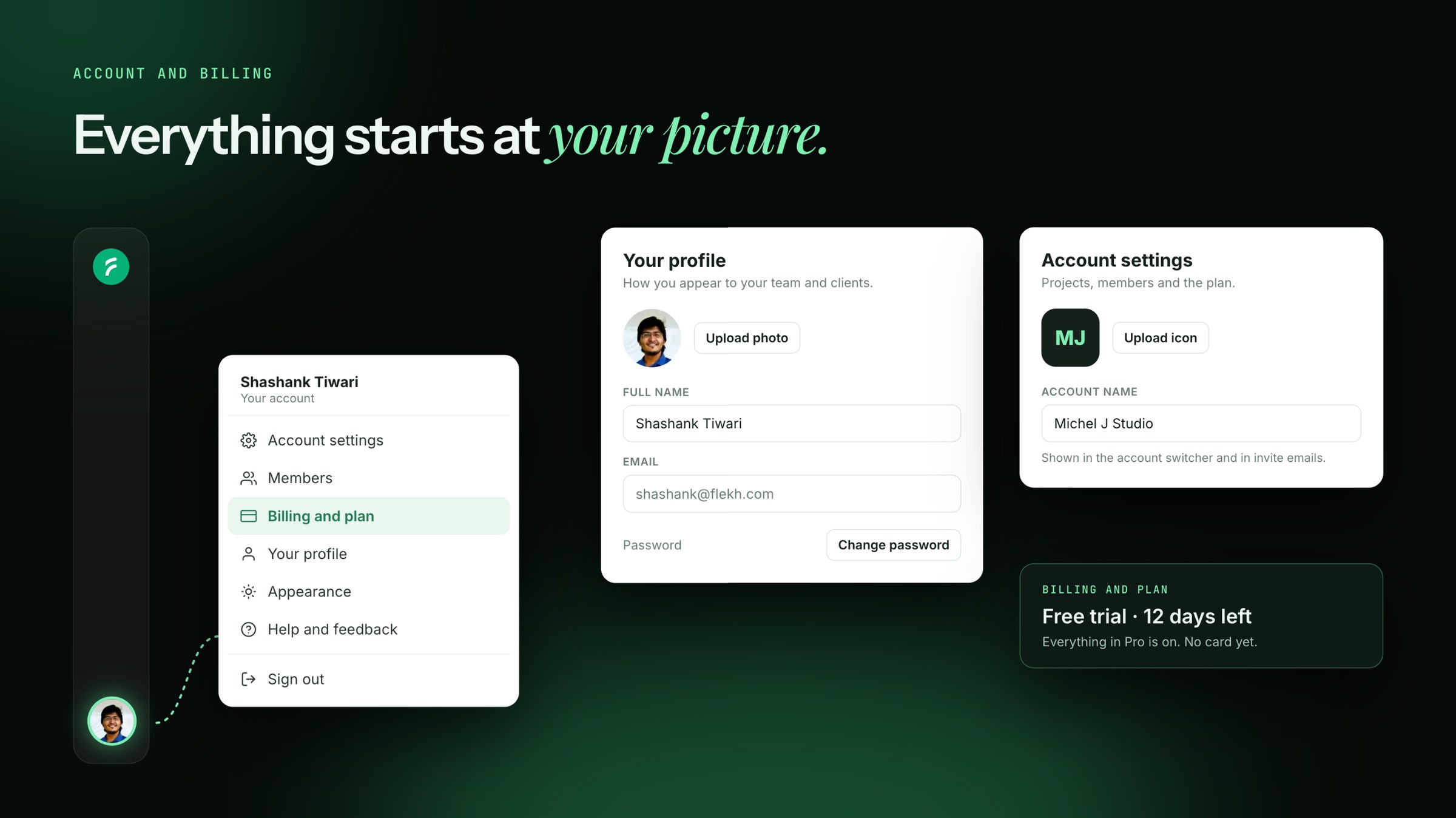
Click your picture at the bottom left. This opens Your account. Everything below starts there.
Your profile
Click Your profile. This is how you appear to your team and clients.
- Full name. It saves when you click away.
- Photo. Click Upload photo. A square image of at least 256 px looks best.
- Password. Click Change password, type your current password, then the new one.
If you sign in with Google, there is no password to change here.
Account settings
Click Account settings. This is the whole account: projects, members and the plan. Only admins see it.
- Account name. Your team sees it when they switch accounts, and in invite emails. Use your agency or brand name.
- Icon. Click Upload icon. It shows in the account switcher.
Other things in the menu
- Members: invite and remove your team. See Invite teammates.
- Billing and plan: your plan, card and invoices. See Plans, trial and limits.
- Sign out.