
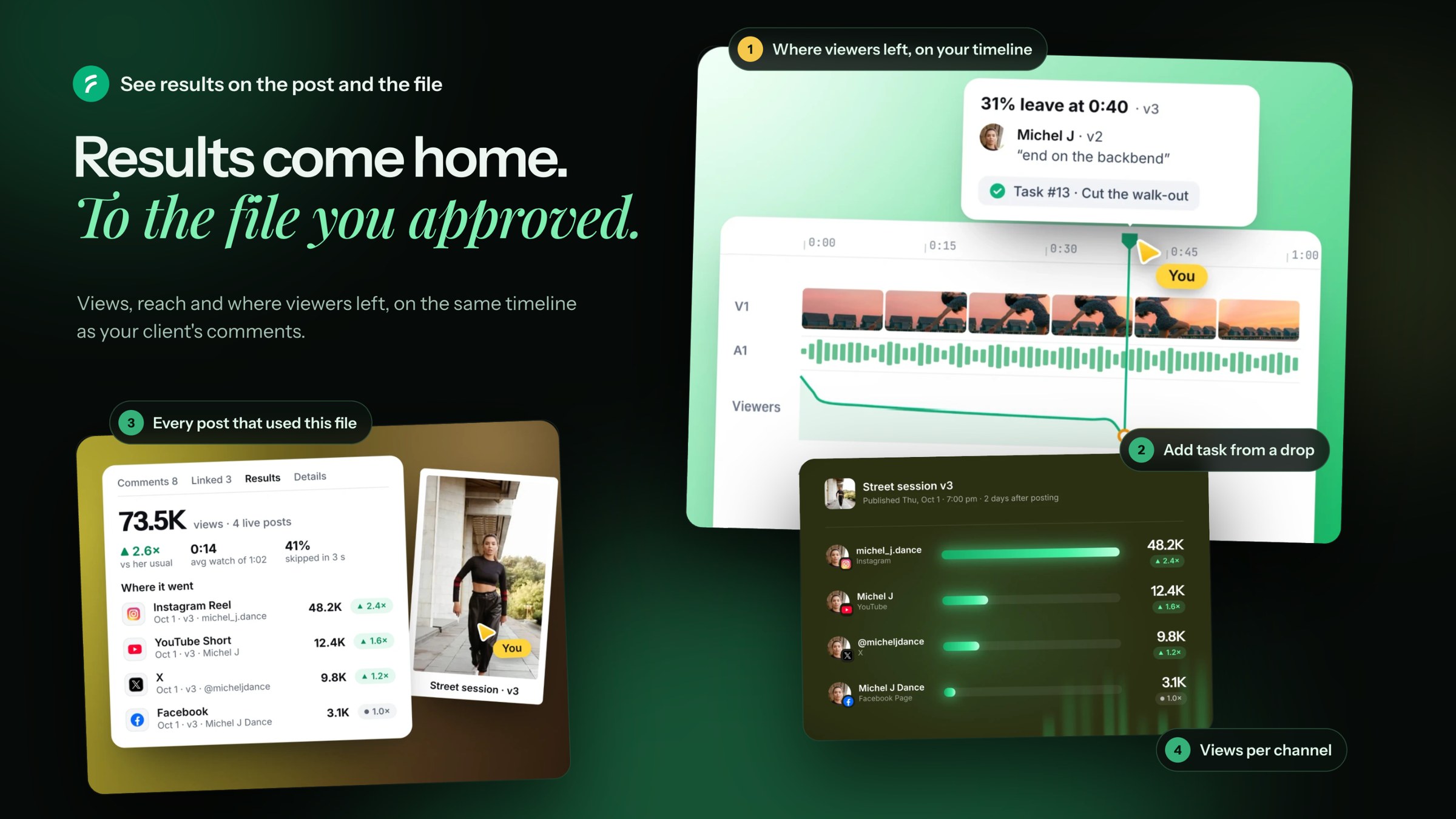
Most tools show results for a post. Flekh also takes them back to the file you approved. So you see where viewers left, on the same timeline where your client left comments.
When the numbers come
A Results tab shows up the day after a post goes live.
Flekh reads the numbers once a day, at 7:00 AM UTC, for 30 days. Then once a week until 90 days.
On the post
Open the post and click Results. You see the numbers for each channel.
On the file
Open the file and click Results. Where it went shows every post that used this file.
Turn on Viewers to see the audience on the timeline:
- YouTube: a full curve of who is still watching at each moment. Flekh marks the biggest drops.
- Instagram: two numbers. How many swiped away in the first 3 seconds, and where the average viewer leaves.
- X and Facebook don't give this, so they aren't listed.
See a drop? Click the mark and pick Add task. The task shows under Linked.
If you use our editor plugin, the same marks show on your timeline in your editor.
For the whole project
Open Publish › Results. Pick a period and see:
- Views, Reach and Engagement rate
- Top posts and Top files
- By channel, By format and Best times
- What worked: posts that did better than your usual. Flekh needs 5 earlier posts of the same kind to compare.
Best time to post
Open Best times in Publish › Results. It shows the days and hours when this client’s posts did best on each channel. Use it to pick the time for the next post.
Lessons
Once 10 or more posts of one kind have results, Flekh looks for lessons every night. Like "Reels under 20 s kept more viewers".
Click Keep, or Edit and keep. The lesson goes to Client notes. Flekh AI then uses it in drafts, and it shows as a hint on new posts.
Good to know
- LinkedIn gives numbers only for Company Pages.
- X gives only the public counts.
- Results must be turned on for the account. See Connect your social channels.
Next: Send a client report