
No more screenshots in a slide deck at the end of the month. Flekh makes your client’s monthly social media report from your real numbers.
Make the report
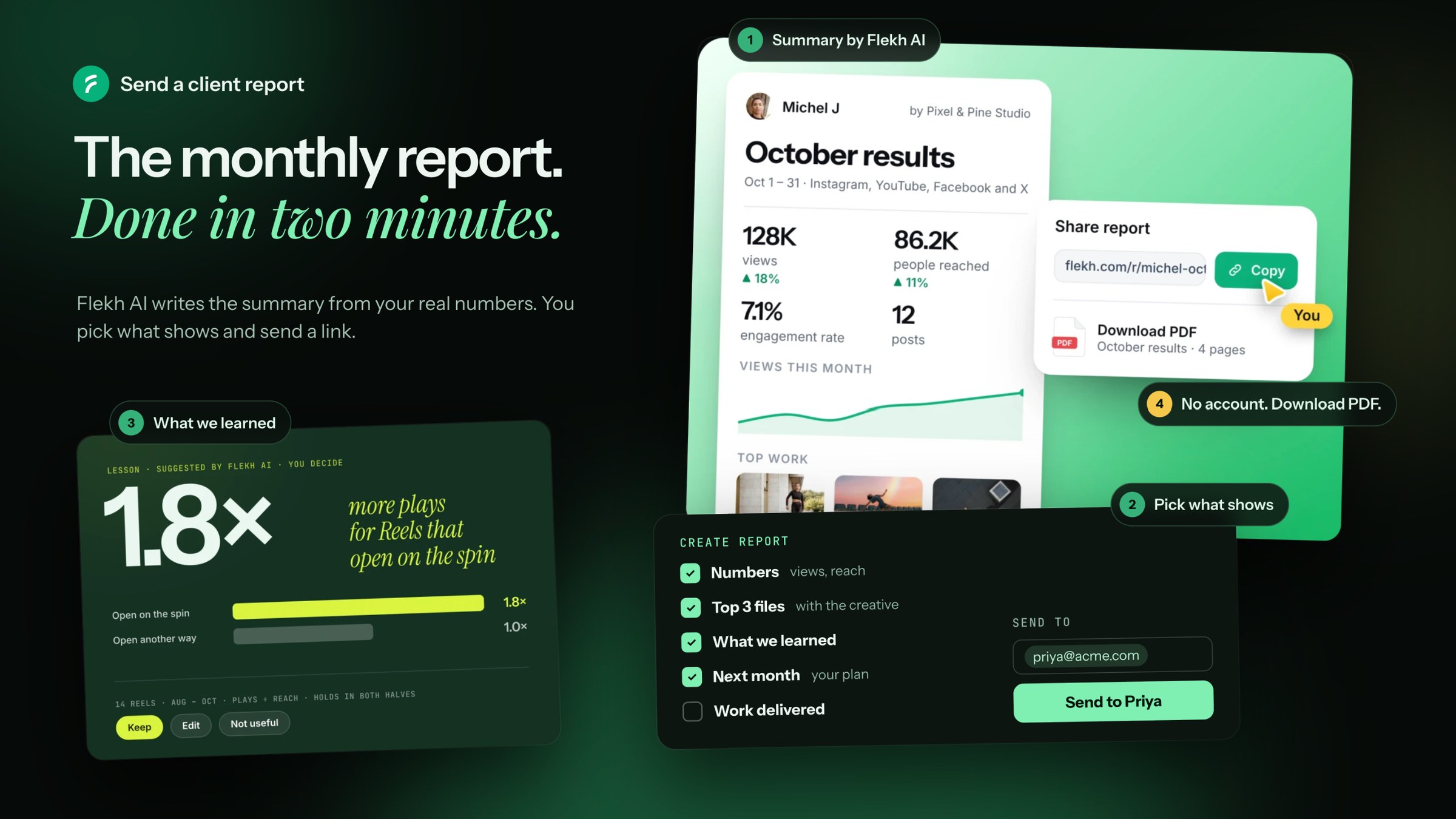
- Open Publish › Results and click Create report.
- Give it a Title and pick the Period.
- Read the Summary. Flekh AI writes it from your numbers. Click Edit to change it.
- Pick what shows. See the list below.
- Click Preview to see what your client will see.
What a report can show:
- Numbers: views, reach, engagement, posts
- Top 3 files: with the creative
- What we learned
- Next month: your plan
- Work delivered
Tip: in Flekh AI, click Put this in the report on any answer to add it.
Send it
- Type your client's email under Send to and click Send. The button shows their name, like Send to Priya.
- Or click Create link and share it yourself. Anyone with the link can open it.
The numbers freeze when the link is made. So the report stays the same, even when the numbers change later.
What your client sees
A clean page with your numbers and your work. They don't need an account. They can click Download PDF to keep it or share it inside their company.
Something wrong?
If the summary says something that isn't true, click Wrong? next to it. Then fix the text before you send.