
The review, in your timeline.
Link your sequence
Open your timeline and the Flekh panel. Pick the project, then the file this sequence is.
Click Link this sequence to it. Now it stays linked for everyone who opens the project. If the file isn't in Flekh yet, use Export and upload as a new file.
Comments become markers
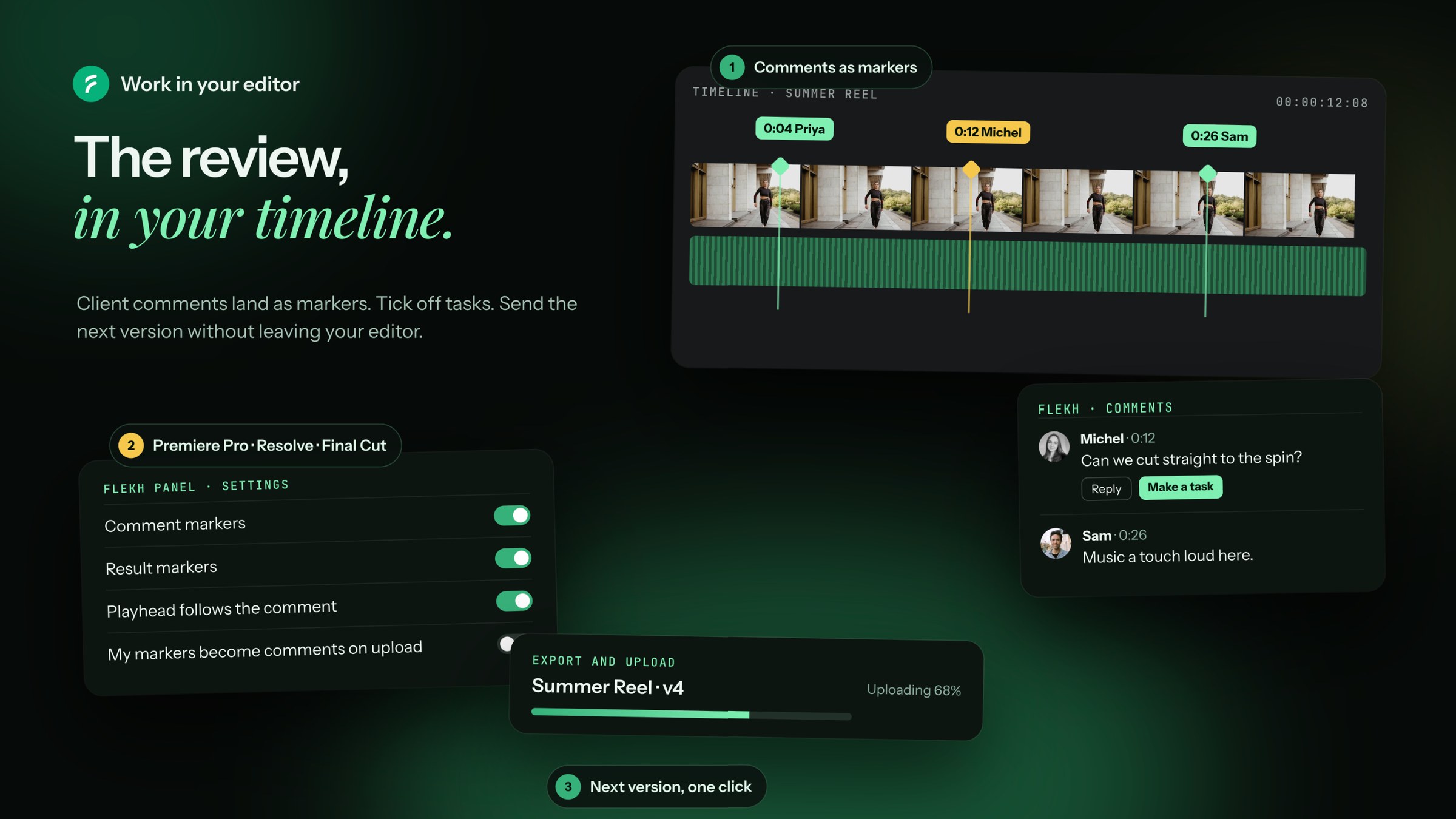
Every comment shows as a marker at its exact moment. Click one and the playhead jumps there.
In the panel you can read the comment, open the frame the client drew on, Reply, or Make a task.
In Settings you choose:
- Comment markers and Result markers: show them or not
- Playhead follows the comment
- My markers become comments on upload: drop your own markers, and they arrive in Flekh as comments
- New comments are Internal or Public
Tasks
The Tasks tab shows the tasks for this file. Tick one and it's done for everyone. No task yet? Make one from a comment, or add one at the playhead.
Send the next version
- Click Export and upload.
- Pick the range: Entire sequence or In to out. Pick a preset.
- It exports and uploads as the next version of the same file.
In Final Cut Pro you finish the export with File › Share › Flekh.
Nobody is told yet. When you're ready, send it for approval from Flekh. See Send an approval link.
Import the original
Click a file in the panel and pick Import to bring it into your project.