
This is the part I love most. Your last video's audience comes back to the timeline you cut it on.
How it works
- The client approves a version in Flekh.
- You publish that version. See Create and schedule a post.
- Flekh reads the results each day. See See results on the post and the file.
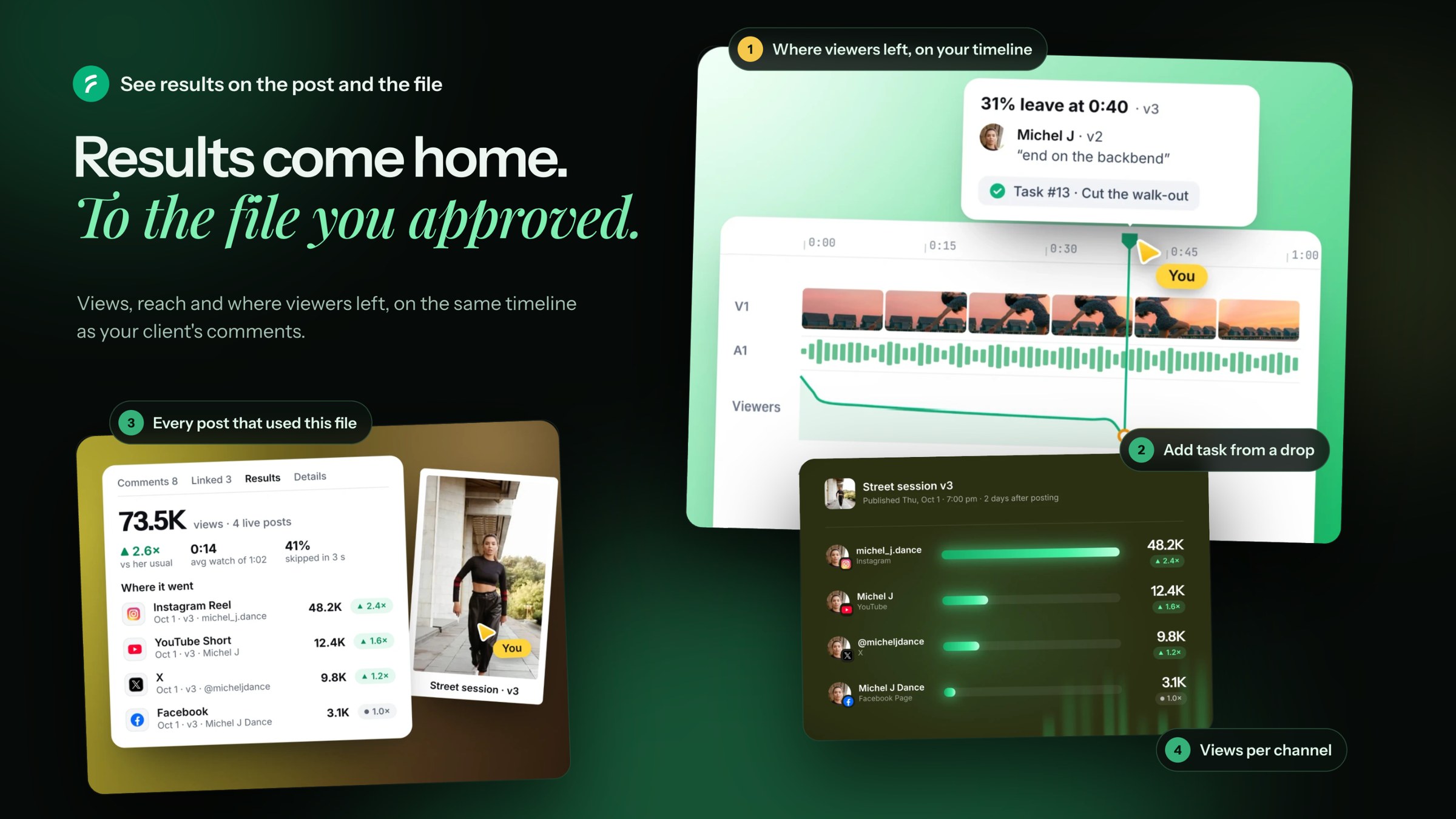
- The panel's Results tab shows the numbers. The biggest drops show as markers on your timeline, like 31% left at 0:40.
Now you can see that the walk-out at 0:40 lost a third of the audience. Cut it shorter next time.
What you see
- YouTube: the full curve of who is still watching. The markers sit on the biggest drops.
- Instagram: where the average viewer leaves, and how many swiped away in the first 3 seconds.
- X and Facebook don't share this.
Drag a drop from the panel onto your timeline to keep it as your own marker.
Before the first numbers
The Results tab stays empty until an approved version is posted. A file owns the numbers only when it was the whole media of that post.
Something wrong?
Next to each number there is Wrong?. Click it and tell me.